A tape-loop instrument
A nostalgic
looping tape
instrument.
Record audio, create independent tape loops, and control how each one plays back. Build layers from the microphone, keyboard, or your saved library. Available for iPhone and iPad.
See what it does
001
loop machine
AEROPORT FEATURES
Record, layer,
and loop sound.
Record directly from the microphone, play a phrase on the built-in keyboard, or use sound from your library. Each recording becomes its own tape loop.
Set loop length, start and stop loops individually or together, and keep building a composition one tape at a time.
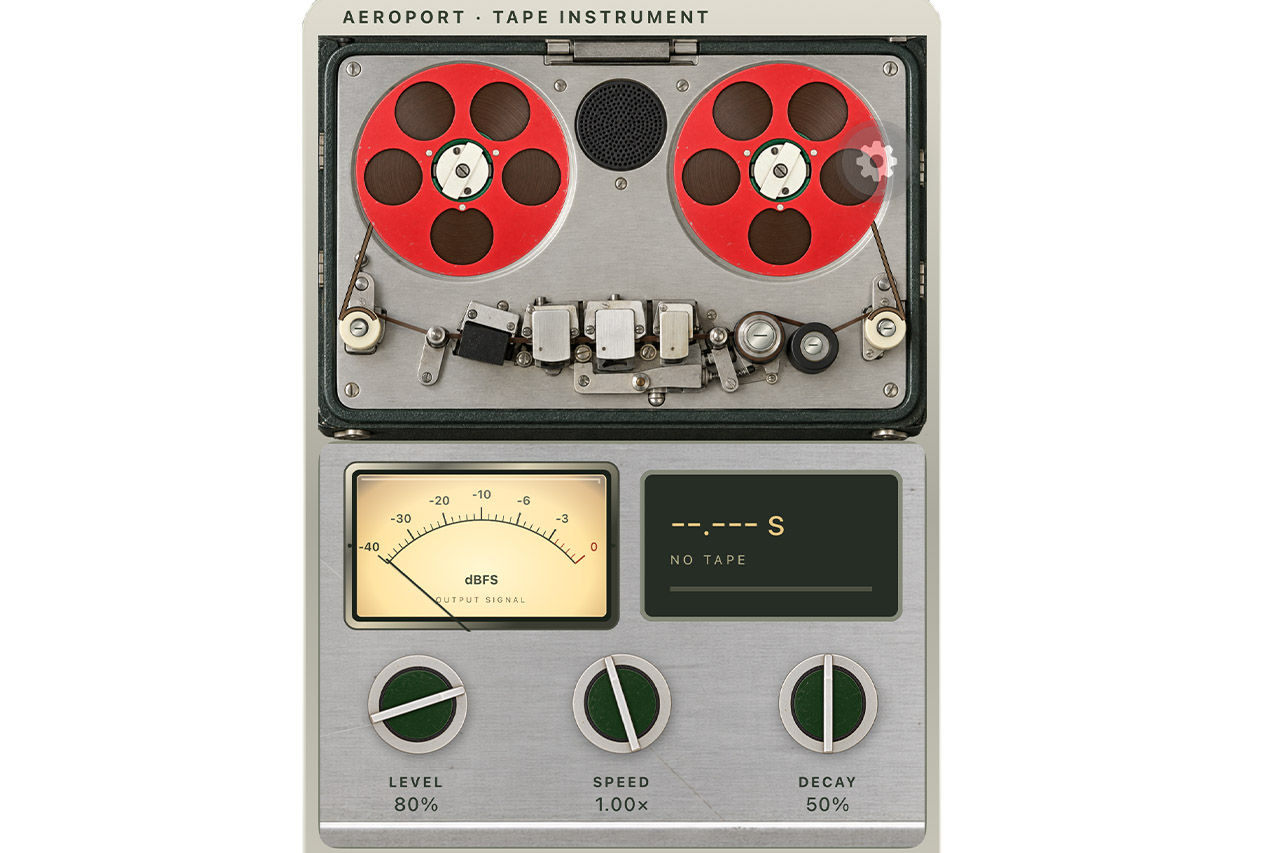
Tape-style controls for every loop.
Adjust level, pan, speed, decay, echo, space, tone, and hiss without changing the original recording.WHAT YOU CAN DO
Tools for making
tape-loop music.
- 01
Make a loop
Record with the microphone or print a phrase from the built-in keyboard to a tape loop.
- 02
Shape the playback
Control each loop’s level, pan, speed, tape decay, echo, reverb, tone, and hiss.
- 03
Play and save your work
Play tapes one at a time or together, connect MIDI controls, and keep loops, sessions, presets, and performances in your library.
AEROPORT